Optimizing Mobile User Experience with AMP Emails: Design Strategies for Higher Engagement and Conversion
Tanmay Kejriwal
Co-Founder & CTO
Introduction
In the fast-paced world of email marketing, staying ahead of the curve is crucial for businesses aiming to capture and maintain audience attention. As mobile devices become the primary medium for checking emails, optimizing the mobile user experience is more important than ever. AMP emails (Accelerated Mobile Pages emails) present an innovative solution, offering interactive and engaging content directly within the email body. This blog explores effective design strategies to enhance user engagement and conversion rates through AMP emails.
Understanding AMP Emails
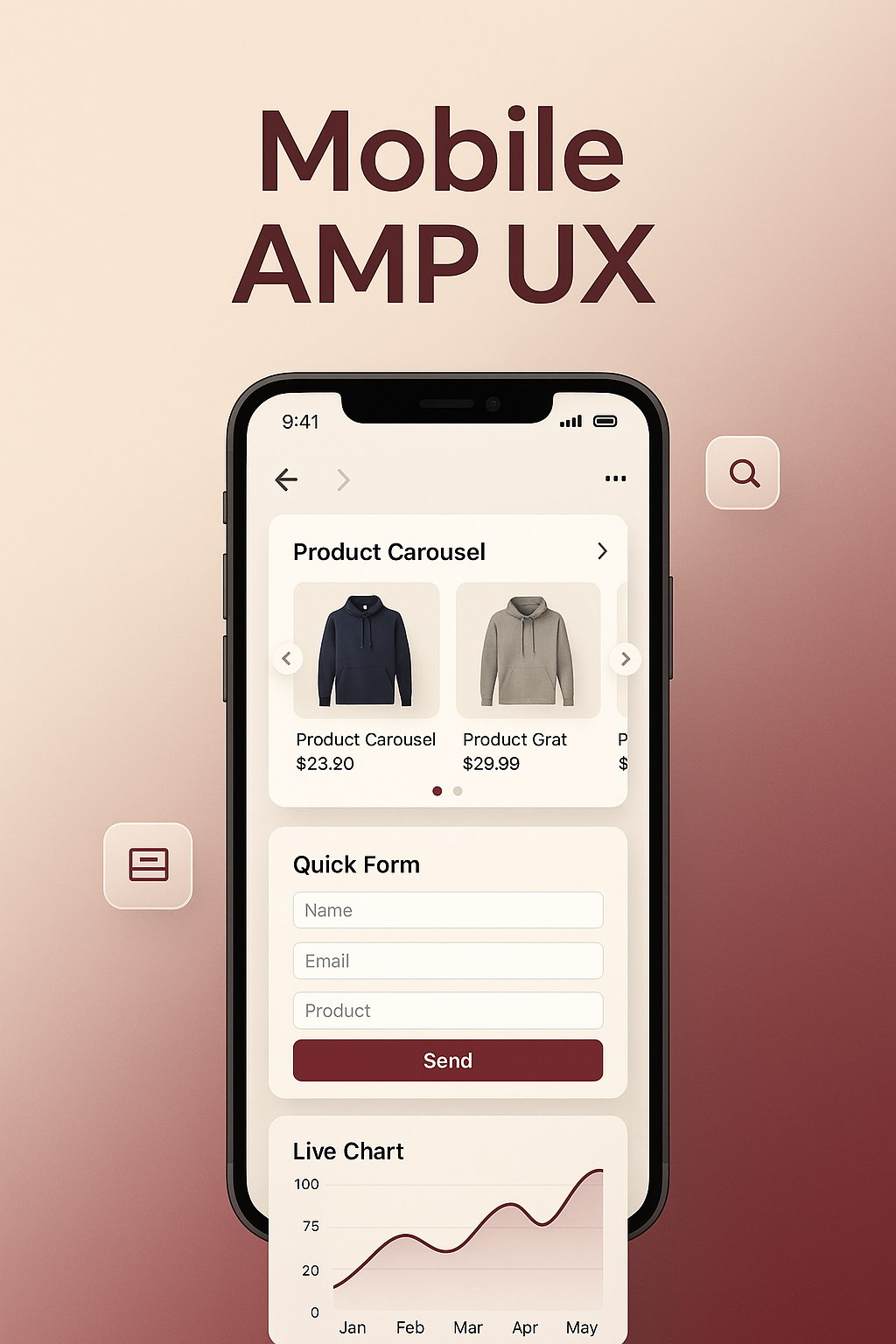
AMP emails transform static email content into dynamic and interactive experiences. Unlike traditional emails, AMP emails allow users to interact with elements such as carousels, forms, and product listings without leaving their inbox. This functionality is particularly beneficial for e-commerce businesses, which can showcase products and facilitate purchases within the email itself.
Why AMP Emails Matter
- Increased Engagement: Users can interact with content directly, leading to higher engagement rates.
- Improved Conversion: Simplifying the path to conversion by reducing barriers increases the likelihood of sales.
- Enhanced User Experience: Providing interactive content tailored for mobile viewing caters to the growing segment of mobile users.
Design Strategies for Mobile Optimization
To leverage the full potential of AMP emails, it is essential to focus on design strategies that cater specifically to mobile users. Here are some key strategies:
1. Responsive Design
Ensure your AMP emails are fully responsive. This means they should adapt to different screen sizes and orientations seamlessly. Use flexible grid layouts and scalable images to maintain readability and functionality across all devices.
2. Interactive Elements
Incorporate interactive components such as carousels, accordions, and forms. These elements can make your emails more engaging and reduce the need for users to navigate away from their inbox.
- Carousels: Ideal for showcasing multiple products or images within the same space.
- Forms: Allow users to submit information directly from the email, perfect for surveys or capturing leads.
- Accordions: Use these to present expandable content like FAQs or detailed product information without overwhelming the user.
3. Simplified Navigation
Mobile users value simplicity. Design your AMP emails with intuitive navigation that guides users through the content effortlessly. Avoid clutter and ensure that interactive elements are easy to locate and use.
4. Fast Loading Times
AMP technology is designed to load quickly, but it's essential to optimize images and scripts to prevent delays. Use compressed images and limit the use of heavy scripts to enhance performance.
5. Clear Call-to-Actions (CTAs)
Your CTAs should be clearly visible and actionable. Use contrasting colors and concise language to prompt immediate action. For example, "Buy Now" or "Learn More" are effective CTAs that encourage user interaction.
Practical Tips for Implementing AMP Emails
Utilize AMP Components
Familiarize yourself with various AMP components that can enhance your emails. Here are some to consider:
- amp-carousel: Perfect for product showcases.
- amp-form: Ideal for collecting user input directly.
- amp-accordion: Suitable for expandable content sections.
Testing and Compatibility
Ensure your AMP emails are compatible with different email clients. Not all email providers support AMP, so include fallback HTML content to maintain functionality for all users.
Personalization
Leverage data-driven insights to personalize your AMP emails. Tailor content based on user preferences and past interactions to create a more relevant experience, thereby increasing engagement and conversion.
Use Case Example: Taplo
Tools like Taplo offer intuitive solutions for creating interactive AMP emails. Taplo simplifies the design process with pre-built components and templates that ensure your emails are not only visually appealing but also highly functional.
Benefits for E-commerce Businesses
Implementing AMP emails can significantly impact e-commerce by streamlining the shopping experience:
- In-email Purchases: Users can browse and purchase products without leaving the email, reducing friction in the buying process.
- Real-time Updates: Display real-time inventory levels and price changes, enhancing the relevance of your offers.
- Dynamic Product Recommendations: Use behavioral data to recommend products, increasing the likelihood of conversions.
Conclusion
Optimizing mobile user experience with AMP emails is a game-changer for email marketers and e-commerce businesses. By focusing on responsive design, incorporating interactive elements, and streamlining navigation, you can significantly enhance user engagement and conversion rates. As mobile usage continues to rise, adopting AMP email strategies will keep your campaigns fresh, relevant, and effective.
Whether you're a developer, marketer, or business owner, embracing AMP emails will put you at the forefront of email marketing innovation. Tools like Taplo can aid in simplifying the process, ensuring your emails are not only interactive but also optimized for conversion. Start integrating AMP emails into your strategy today and watch your engagement soar.